
MIPAR · AI image analysis software
Show it once. MIPAR measures the next thousand.
MIPAR turns microscope and camera images into numbers you can defend: grain size, particle size and shape, phase fraction, counts. Build an analysis by clicking steps together, or teach a deep learning model with a few traced examples. Then run it on every image, every batch, the same way.
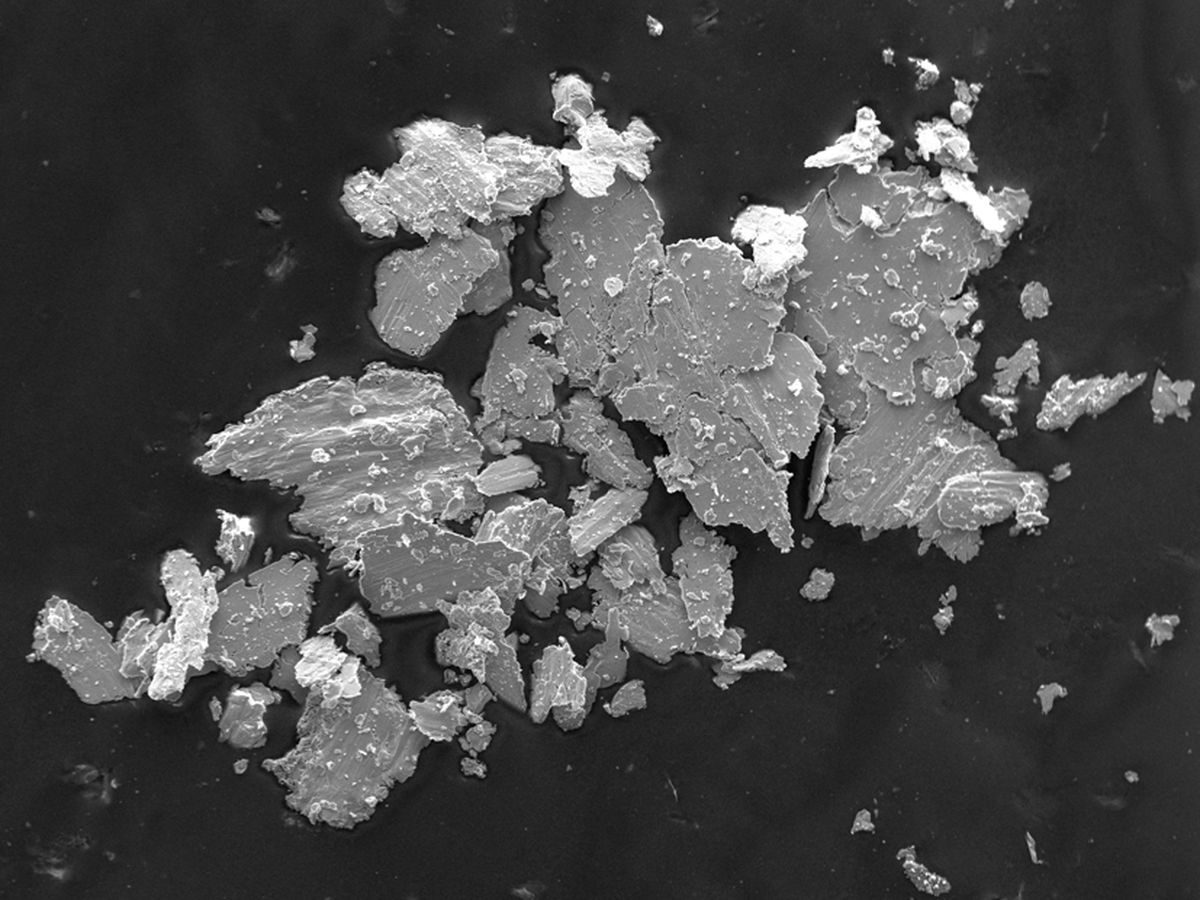
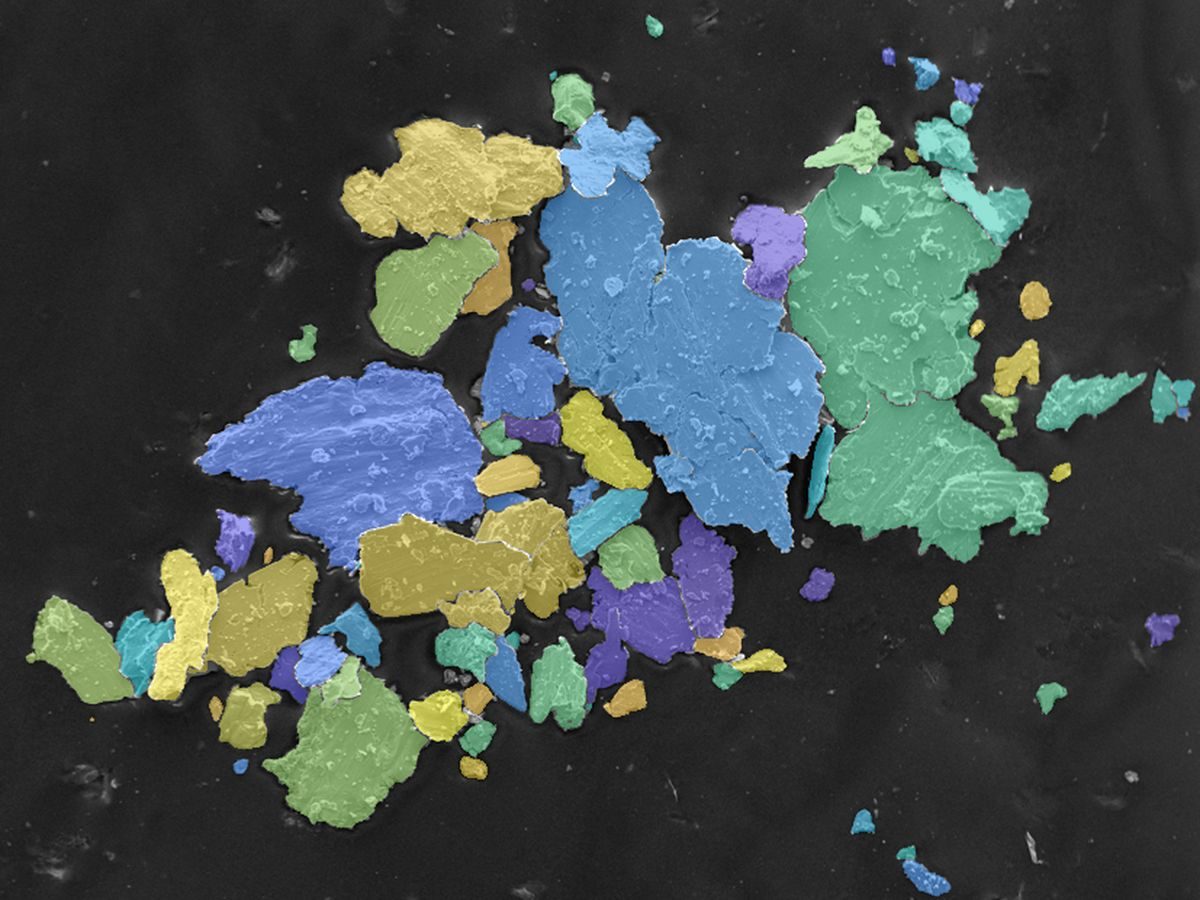
Measures
- Grain size
- Particle size and shape
- Phase fraction
- Porosity
- Layer thickness
- Fibres
- Colony and cell counts
How it works
A recipe: your analysis, one click at a time
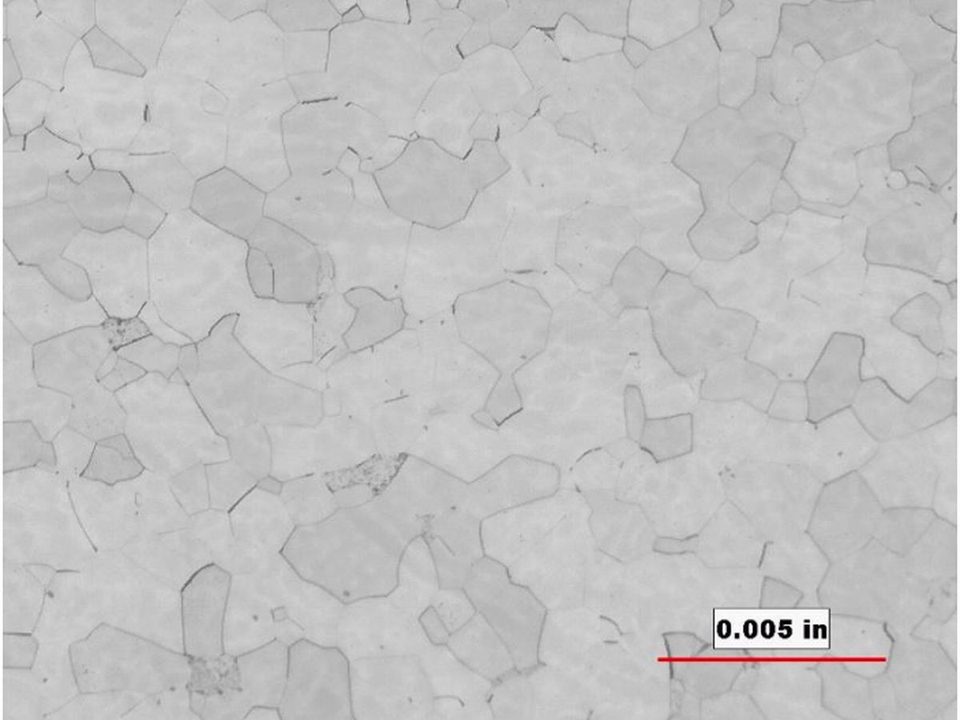
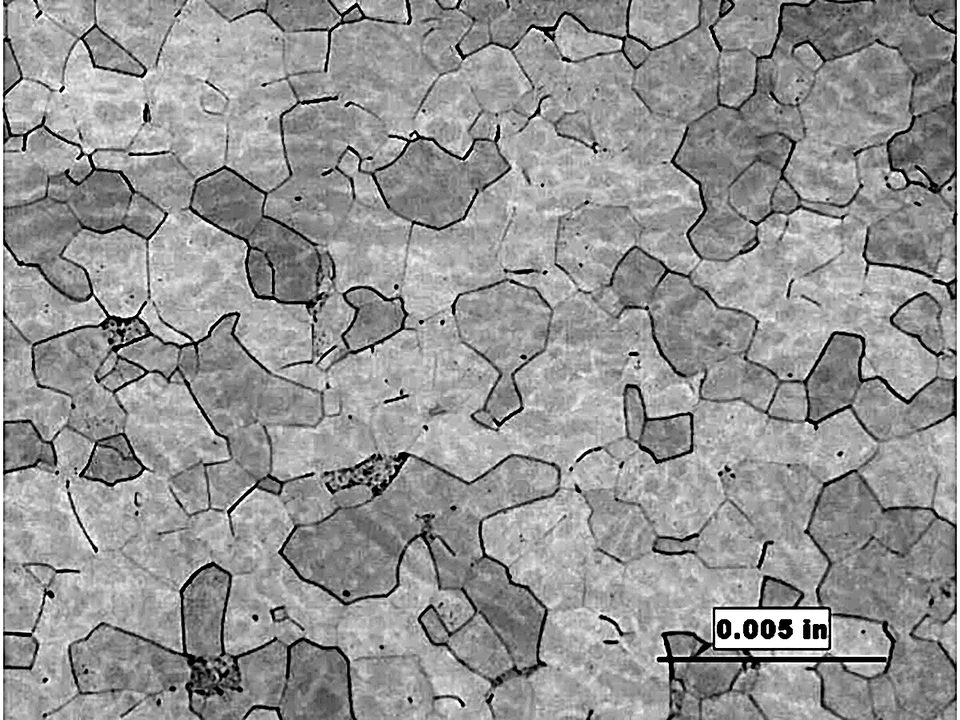
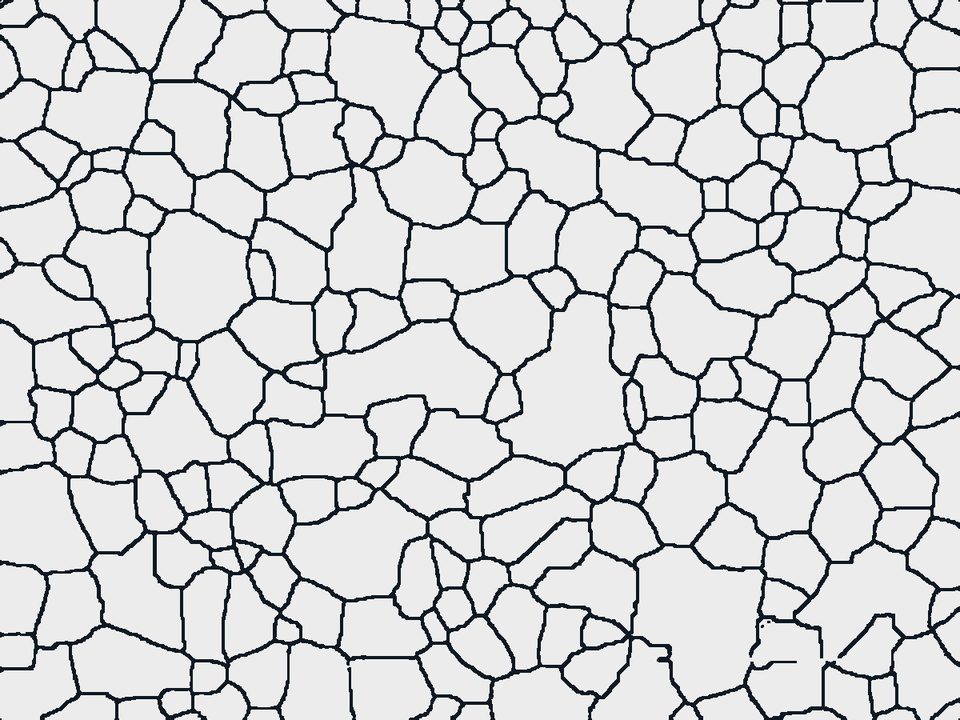
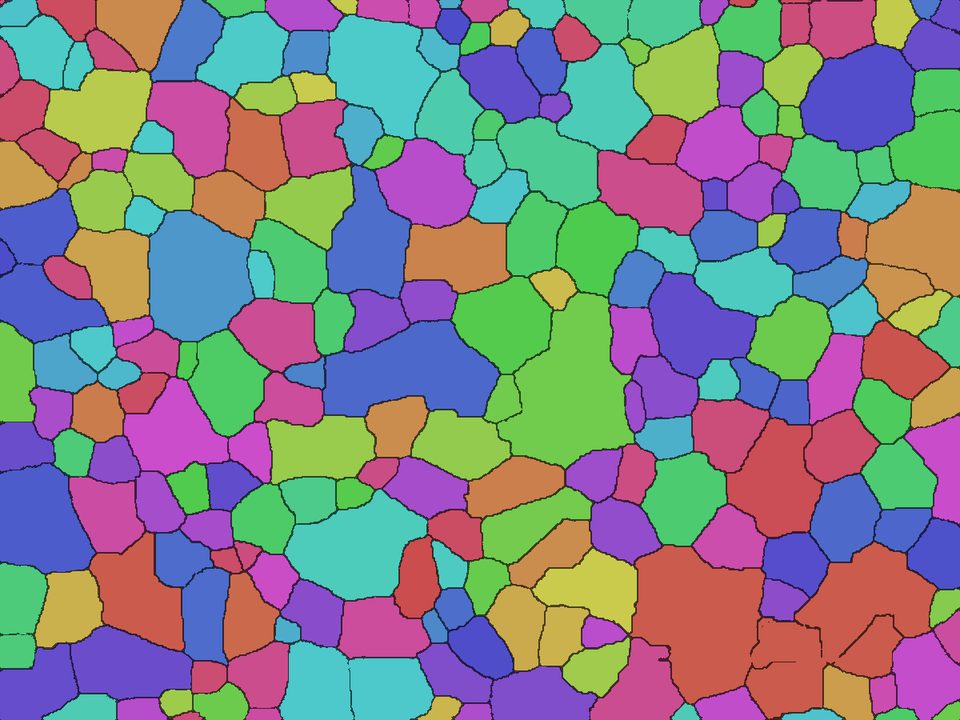
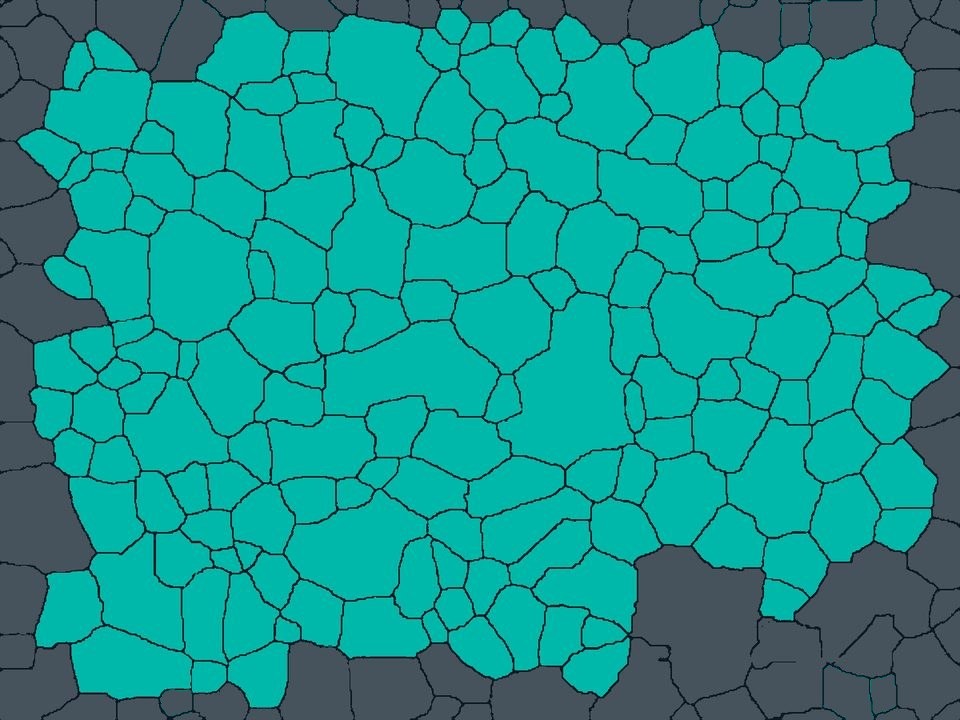
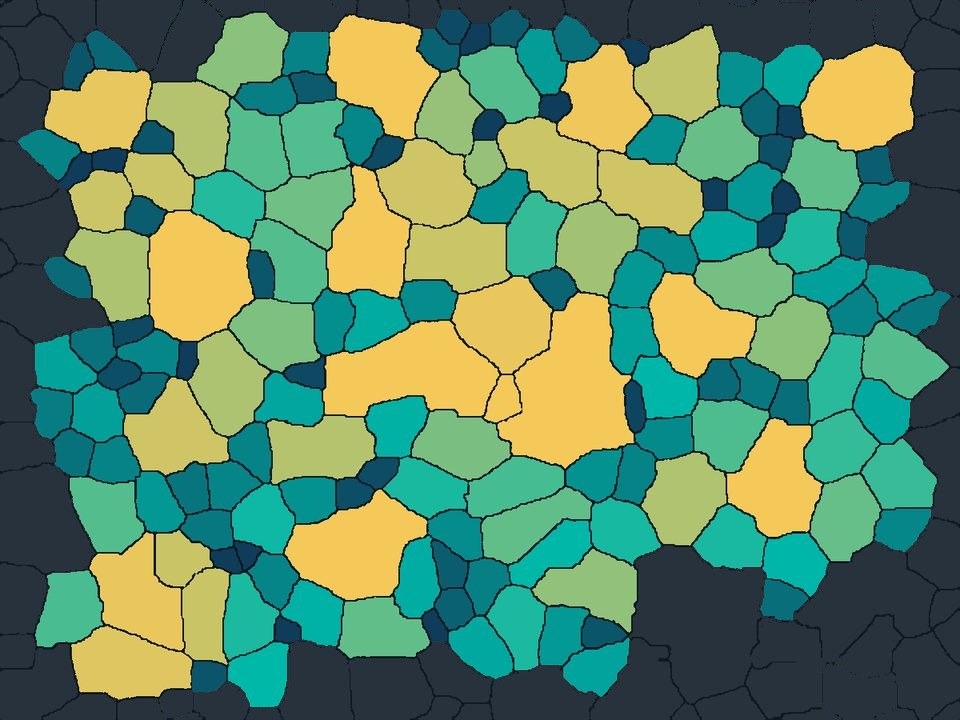
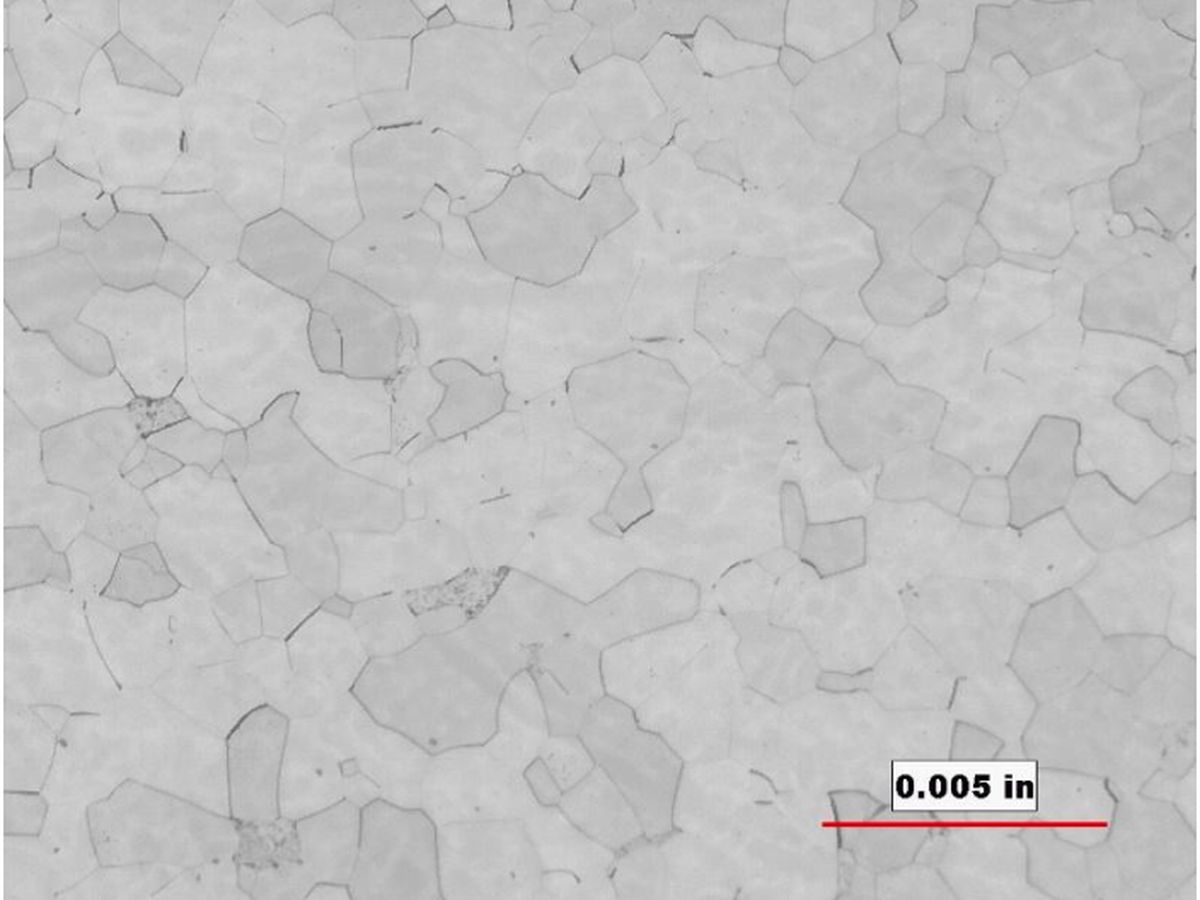
In MIPAR you build an analysis as a list of steps, called a recipe. Every step can be changed, moved or removed without touching the original image. Watch one recipe turn a faint titanium micrograph into an ASTM grain size, or click any step yourself.
 Step 1 · Load image
Load the image
Grain size distribution · equivalent circle diameter (µm)
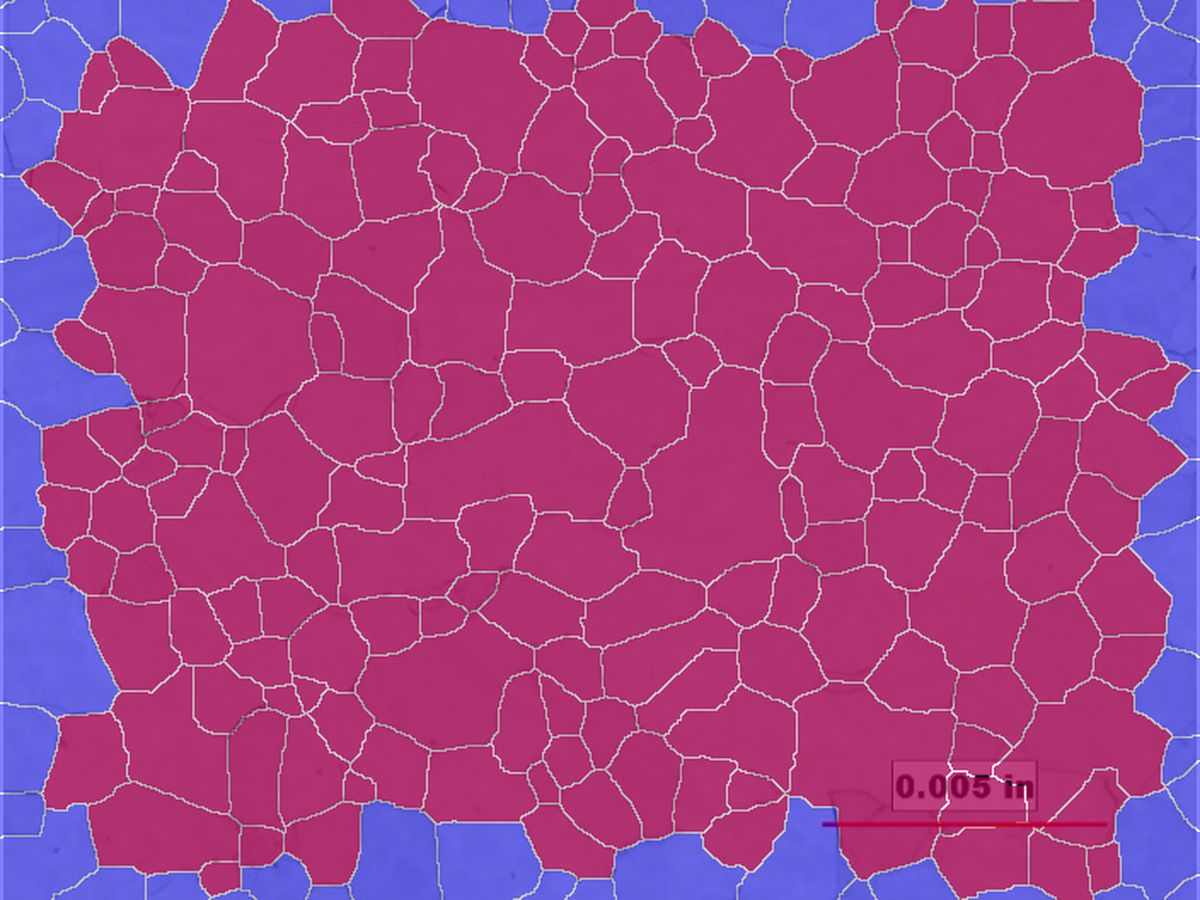
Titanium sample analysed in MIPAR. The step images visualise a typical recipe; grain count, diameters and grain size are calculated from the segmented result and the image’s 0.005 in scale bar.
Simple mode for operators
The finished recipe shows only the settings an operator should touch. Everything else stays locked behind it.
Detail mode for method owners
Open any step and tune it. Changes are non-destructive, so you can always step back and compare.
Free recipes to start from
The MIPAR Recipe Store has ready-made recipes for materials science, life science, particles and earth science.
Deep learning
When the rules give up, show it examples
Some structures defeat every threshold and filter. Here, the prior beta grain boundaries in titanium hide under a dense pattern of laths. With MIPAR’s deep learning you trace a few boundaries yourself, train a model on them, and let it find the rest.
No time to train a model? MIPAR’s Spotlight extension outlines particles, grains and cells it has never seen, with no training at all. See Deep Learning vs Spotlight.
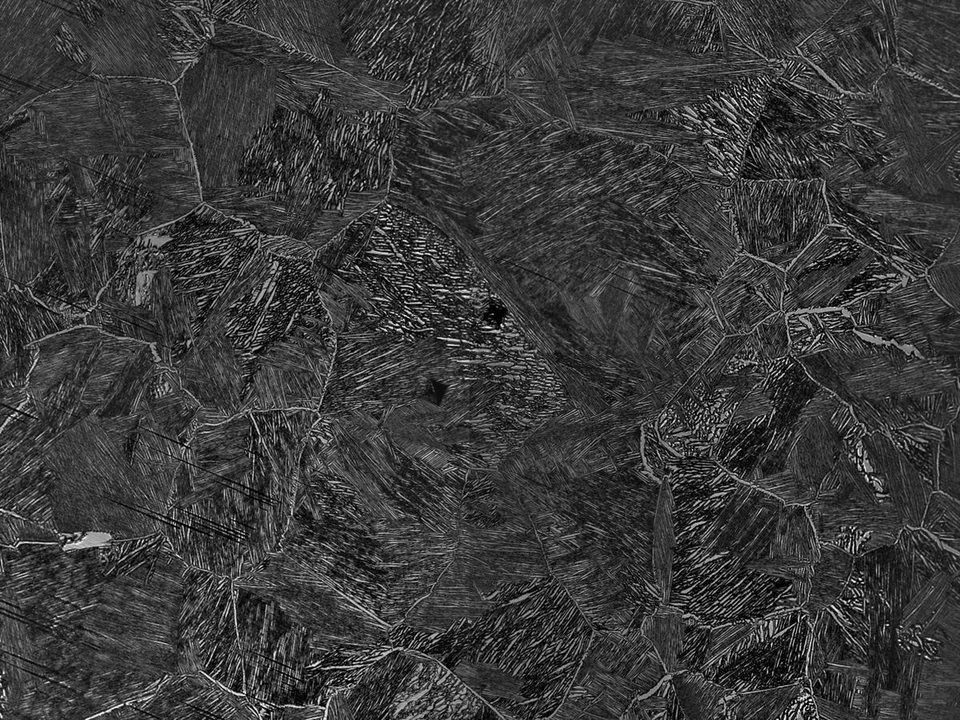
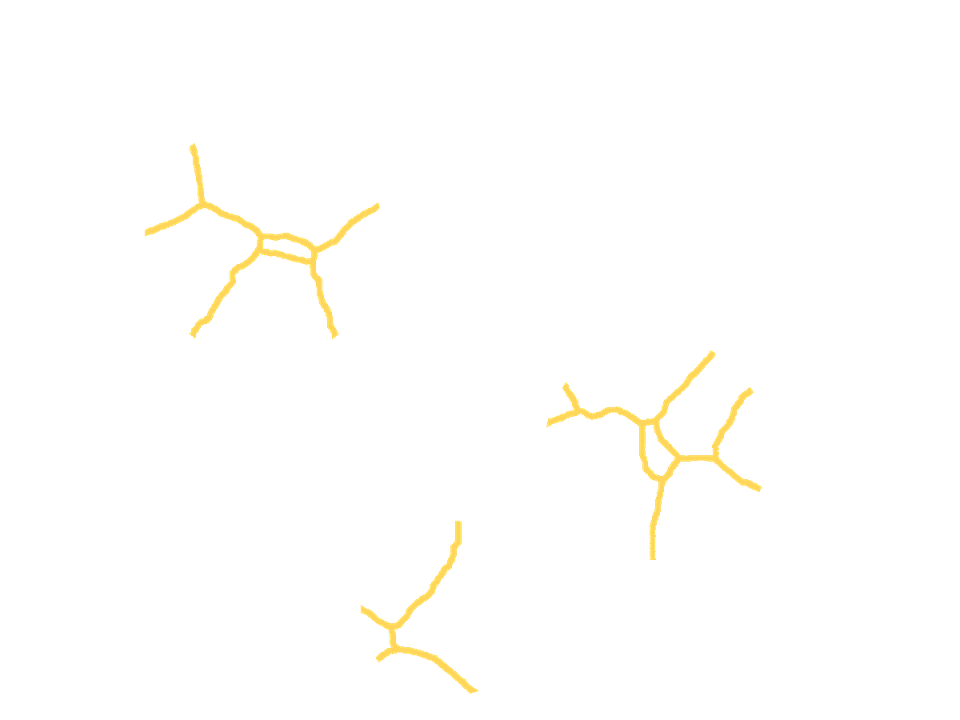
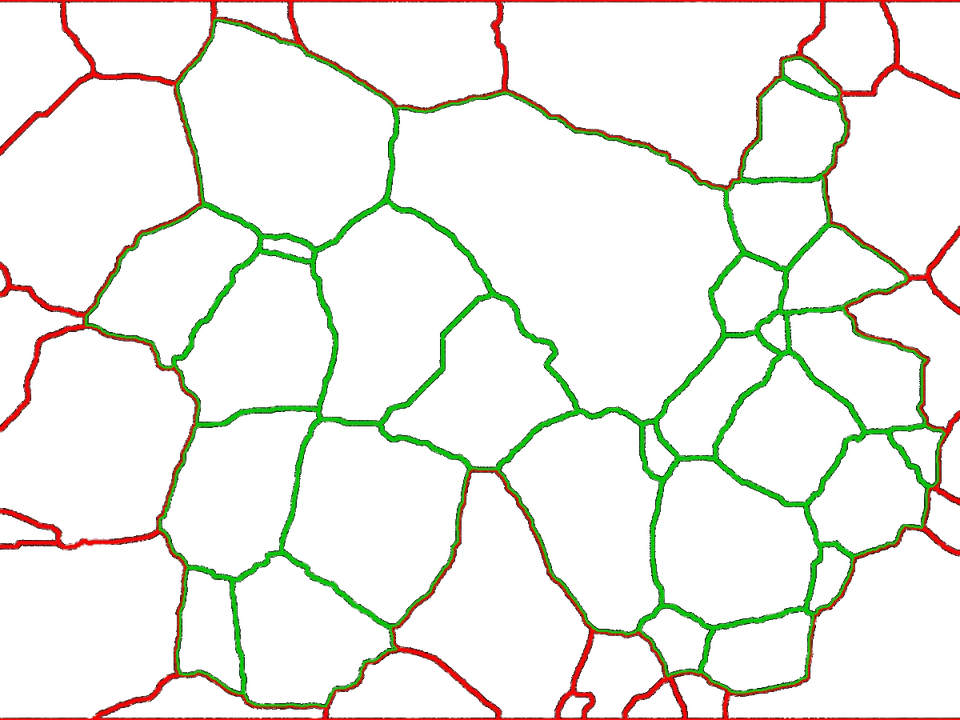 Original image
Batch processing
One recipe. Every image. The same answer.
Once the recipe works on one image, the Batch Processor runs it on the whole series and collects every measurement in one table. No tired eyes at image 200, no difference between the morning and the night shift.
γ′ precipitate area fraction per field (%)
Twelve fields from an SEM image of a nickel-base superalloy, segmented in MIPAR. Area fractions are calculated from the segmented fields shown.
Pause and resume
Long runs can be paused and picked up again, so a big batch never blocks the workstation.
Reports, not screenshots
The Report Generator turns results into a consistent report from your own template.
Straight to your data tools
Export the result table for Excel, Minitab or SigmaPlot, or connect through the Python and REST APIs.
Standards
Measured the way your standard says
Customers and auditors want a number from a recognised method. MIPAR measures to the methods metallurgists already use, and does the counting that used to take an afternoon.
ASTM E112 · intercept methodTwo methods, one answer. On the same titanium image, the intercept method gives G – and the planimetric method in the recipe above gives G –. More on grain size to ASTM E112 →
Average grain size
Planimetric and intercept methods, with the grain size number G reported directly.
Grain size by image analysis
The semi-automatic and automatic image analysis route to grain size.
Steel grain size
Micrographic determination of apparent grain size in steels.
Inclusion content
Inclusion rating in steel, consistent from one operator to the next.
Graphite in cast iron
Graphite form, size and nodularity in iron castings.
Applications
From superalloys to Petri dishes
Real MIPAR analyses, not stock photos. Pick an application and drag the slider to compare the original with the result.
Beyond the desktop
From the microscope to the signed report
MIPAR grows with the job: analyse live at the microscope, in 3D, from your own scripts, or inside a controlled sign-off workflow.
MIPAR Live
Connect a camera and apply recipes to the live image, so results appear while the sample is still under the microscope.
3D Toolbox
Reconstruct, view and measure volumes from CT and serial sections: pores, phases and networks in three dimensions.
Report Generator
Results go straight into a report built from your own template, the same layout every time. Included in every MIPAR licence.
Python and REST API
Run MIPAR from your own scripts or connect it to a LIMS, a production line or an existing data pipeline. See examples with code.
Checkpoint
A compliance and sign-off workflow for regulated labs. We help you set it up as part of our data compliance service.
Recipe Store
Free, ready-made recipes to start from, so you seldom begin with an empty page.
Buying MIPAR from SciSpot
See it work on your images before you spend a cent
We are your MIPAR partner across Europe: we test, sell, install, train and support. You get answers from people who build recipes every day, in your time zone.
- Step 1
Send us images
A few typical images and what you need to measure. Tell us which standard applies, if any.
- Step 2
We build the recipe
We develop a first recipe on your own images and show you the results in a short online meeting.
Free proof of concept - Step 3
You decide
Compare with your current method. If it does not beat it, you have lost nothing but an hour.
- Step 4
Up and running
Licence, installation, training for your team, and support and renewals handled by us.
Recipes for your exact material
We adapt the recipe to your samples and preparation, so it works on the bad days too, not only on the showcase image.
Training that sticks
Operators learn to run and check results, method owners learn to build and maintain recipes.
One partner for the whole workflow
From the camera to statistics and compliance, so MIPAR results flow on instead of stopping in a spreadsheet.
Questions
Frequently asked about MIPAR
Do I need to know programming to use MIPAR?
No. Recipes are built by adding and adjusting steps on screen, and operators can run a finished recipe in Simple mode. If you want to automate further, the Python and REST APIs are there.
Can MIPAR measure grain size to ASTM E112?
Yes. MIPAR reports grain size with planimetric and intercept methods, and also supports image analysis to ASTM E1382 and ISO 643. On this page, both methods give the same grain size on the same titanium image. Read our grain size guide.
Will it work on my images?
Send us a few typical images and we will test them before you buy. It works on light optical, SEM, TEM and confocal images, CT volumes, and photos from ordinary or DSLR cameras. Two common jobs, shown step by step: grain size to ASTM E112 and particle size and shape.
How much training data does deep learning need?
Less than most people expect. You trace examples in small regions rather than whole images, and we help you check the model against manual measurements before it goes into routine use. For many separate objects you need no training at all: see when Spotlight is enough.
Can we use MIPAR in a regulated lab?
Yes. MIPAR offers the Checkpoint compliance and sign-off workflow, and our data compliance service covers audit trails, electronic signatures and method versioning for GLP, 21 CFR Part 11 and EU GMP Annex 11.
Who helps us when something goes wrong?
We do. SciSpot handles your licence, installation, training, support and renewals, in your time zone.
Send us one image. We’ll send back numbers.
Pick your most annoying sample, the one that takes an afternoon to measure by hand. We’ll build a recipe on it and show you the result in a short call, free.