
AI image analysis · Deep Learning and Spotlight
Two kinds of AI in image analysis. Know which one your images need.
Deep Learning learns your features from a few images you trace. Spotlight has already seen millions of images and outlines objects it has never met before, with no training at all. On their own, each one solves problems classical thresholding can’t. Together they make recipes that are fast to build and hard to fool.
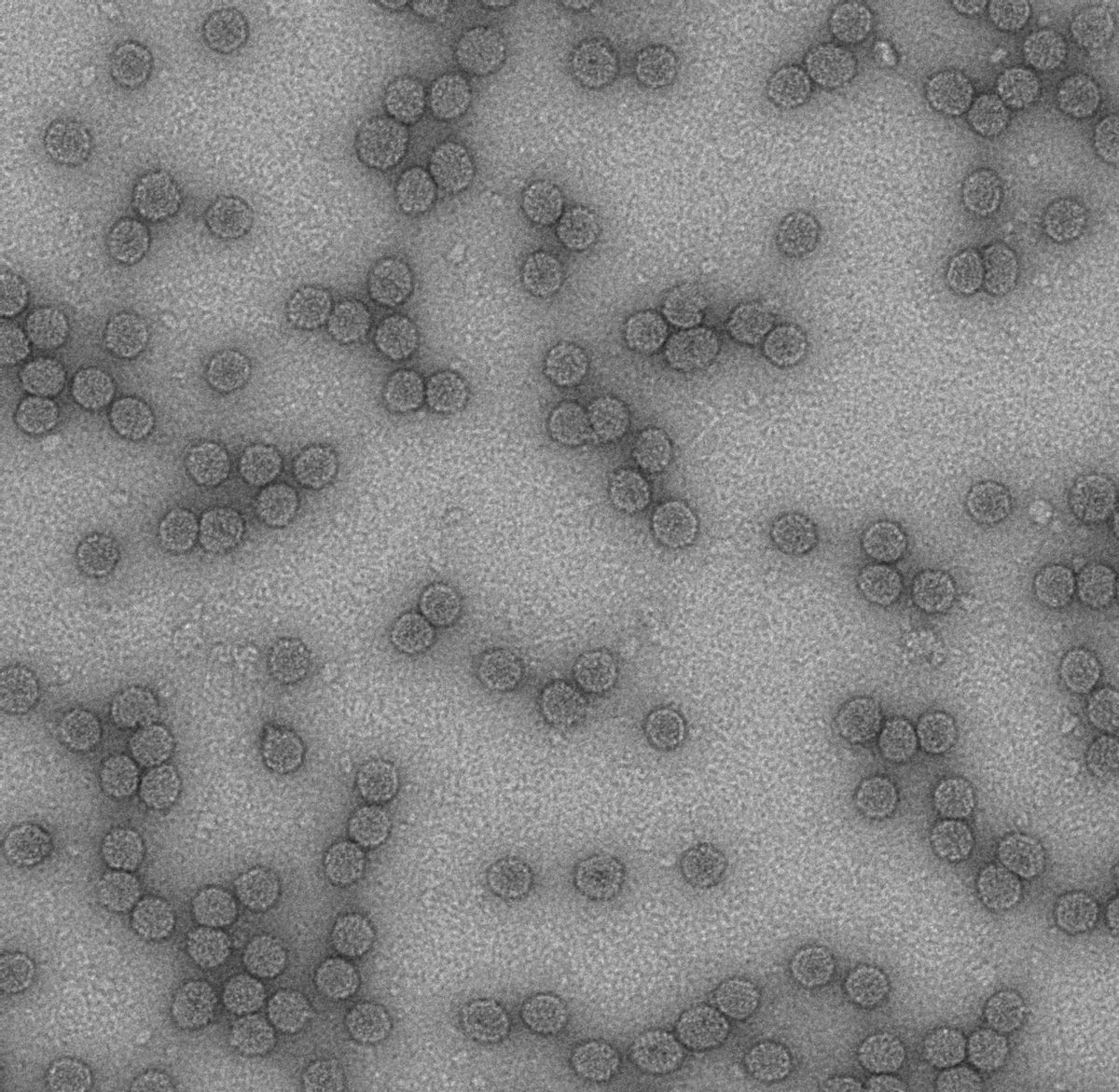
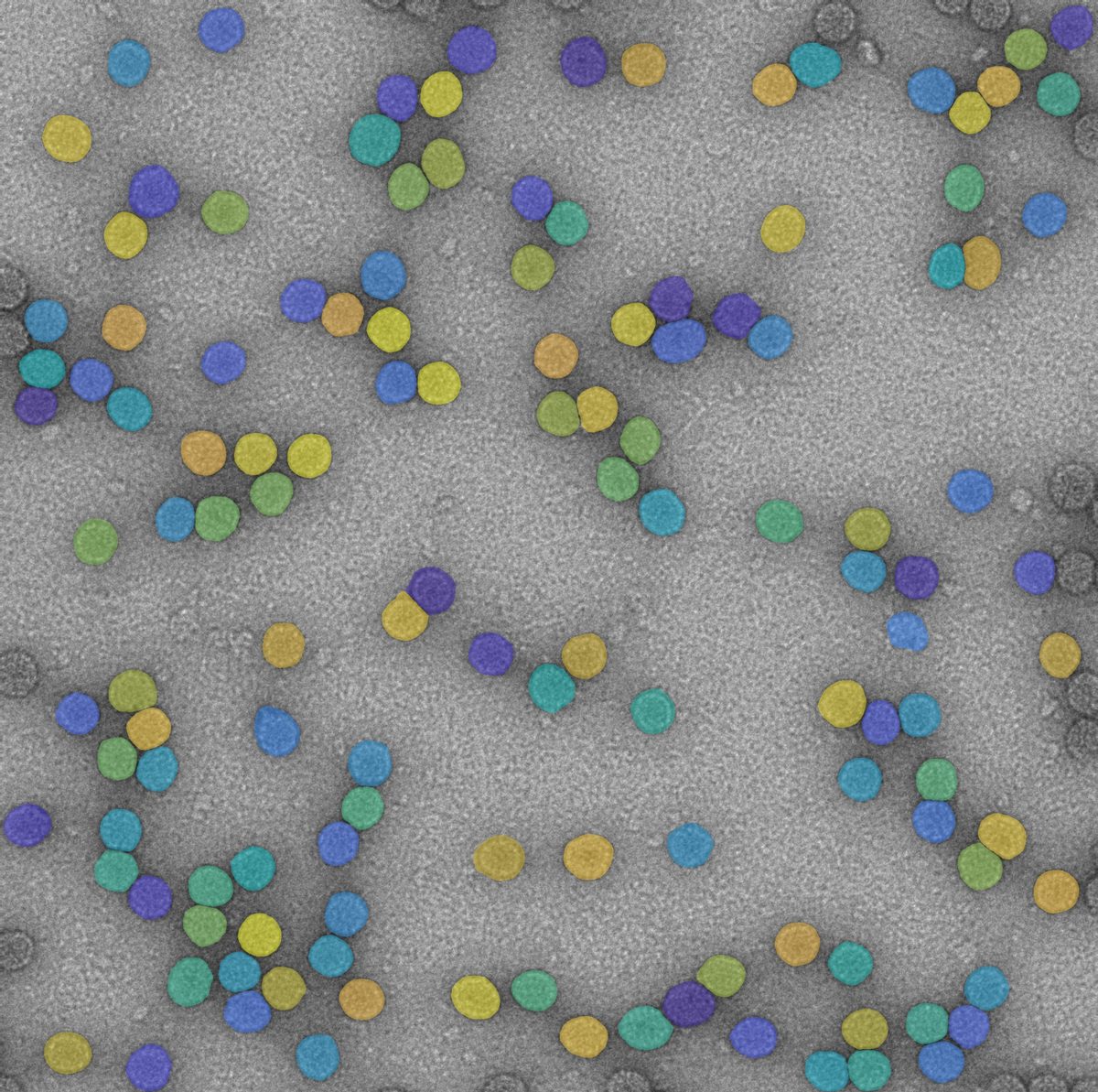 OriginalSpotlight result
Nanoparticles with no grey-value contrast, only texture. One grid prompt, a couple of clean-up steps, zero training. Drag the slider.
Proven on
- Grains
- Particles and powders
- Precipitates
- Defects and cracks
- Phases
- Cells
- Fibres
- Welds and coatings
Not “DL versus AI”
Both are AI. The difference is who did the training.
Classical image analysis sets a grey-value threshold and hopes for the best. That breaks on textures, faint boundaries, scratches and features with the same grey level. Both AI tools get past that, in two very different ways.
Deep Learning
You trace the features on a few images. A deep neural network learns what your phase, boundary or defect looks like, and the model becomes a step in your recipe.
- Training
- Yes. With consistent images, 5–10 images is often a good start.
- Shines at
- Textures, low contrast, complex boundaries, telling feature types apart (classification).
- Typical jobs
- Twinned grains, interwoven phases, fibre networks, contaminant classes, cracks.
- Choose it when
- Your feature is unusual and you want a model tailored exactly to it.
Spotlight
A general AI model that has seen millions of images and billions of traced objects. Give it prompts, a simple point grid or markers from earlier steps, and it returns precise outlines. Even of objects it has never seen.
- Training
- None. Tune feature size and sensitivity, and go.
- Shines at
- Edge accuracy on separate, discrete objects, across changing images and ambiguous boundaries.
- Typical jobs
- Particles, grains, precipitates, cells, defects.
- Choose it when
- You want results now, and fewer pre-processing steps in your recipe.
The best recipes often use both.
Deep Learning says roughly where or what. Spotlight draws the exact edge. Because the model only needs to be roughly right, it trains on a couple of images in minutes, and classical steps still do the filtering and measuring.
Two questions, one answer
Which one do your images need?
Answer two questions and get our first recommendation. Your real images get the final say, which is why our test on them is free.
1What do you need to find?
2How do your images behave?
ExampleSpotlight · basic
A point grid, a few clean-up steps, done.
These nanoparticles differ from the background only by texture. A threshold sees nothing. Spotlight sees particles.
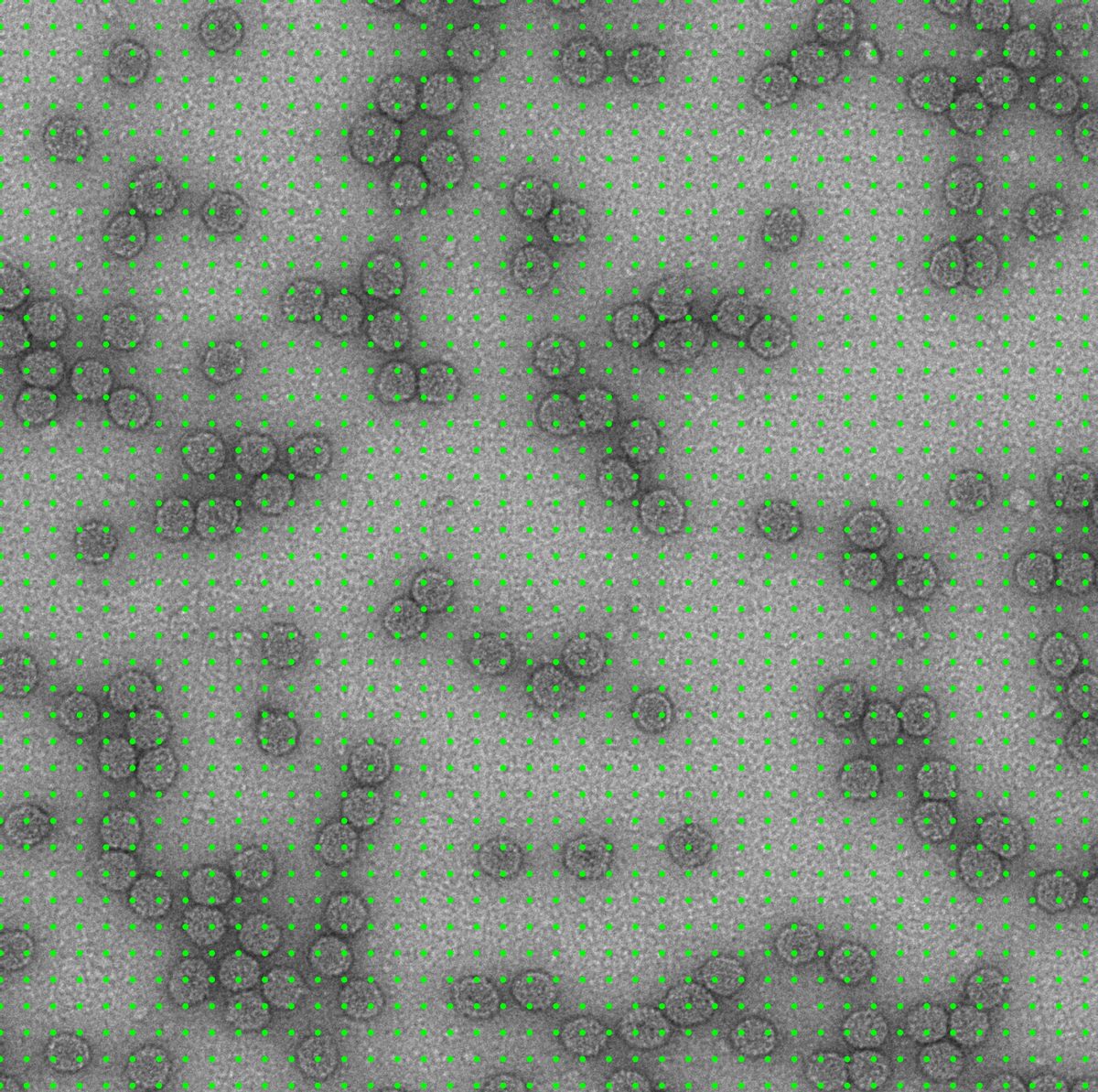
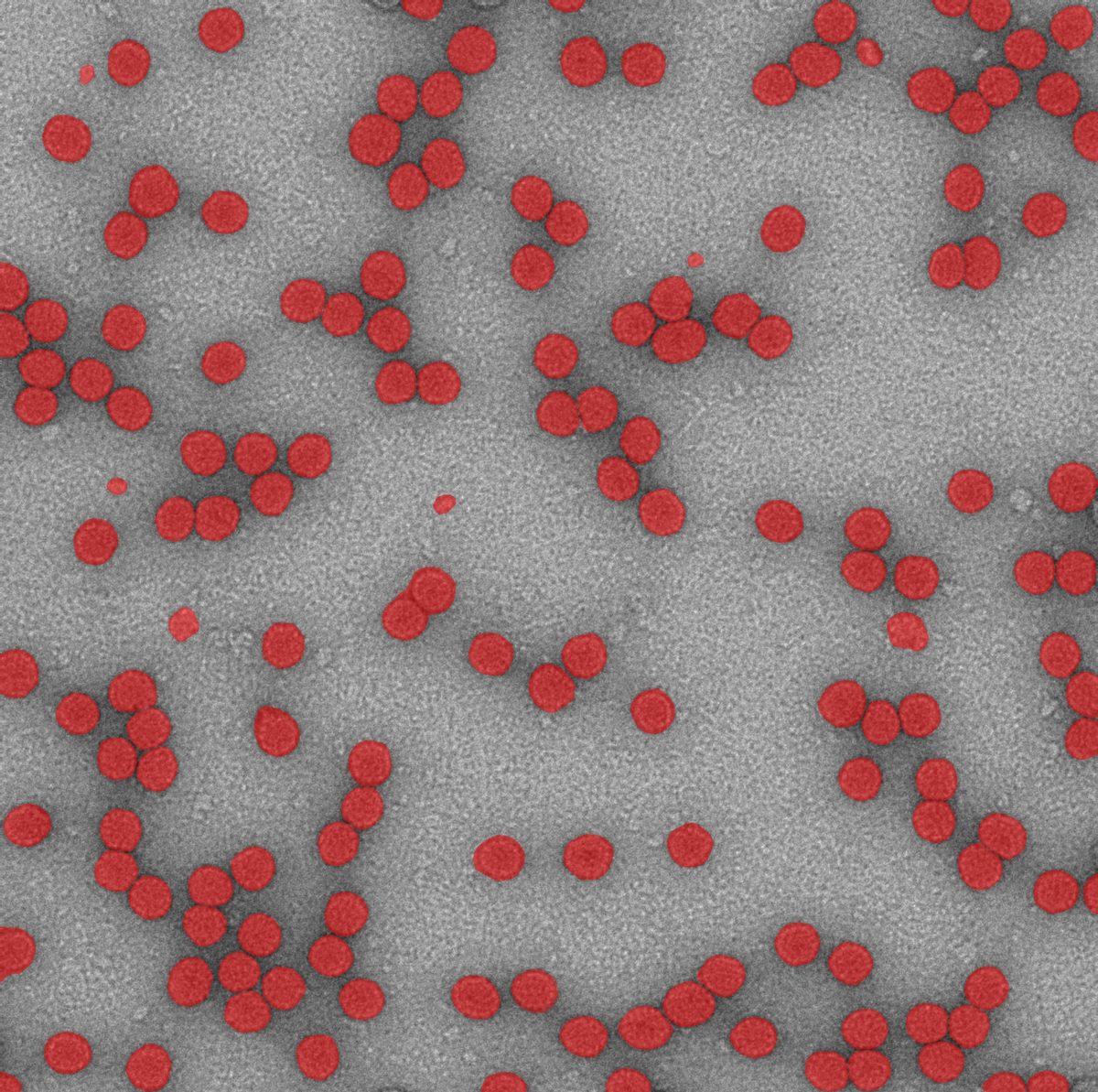
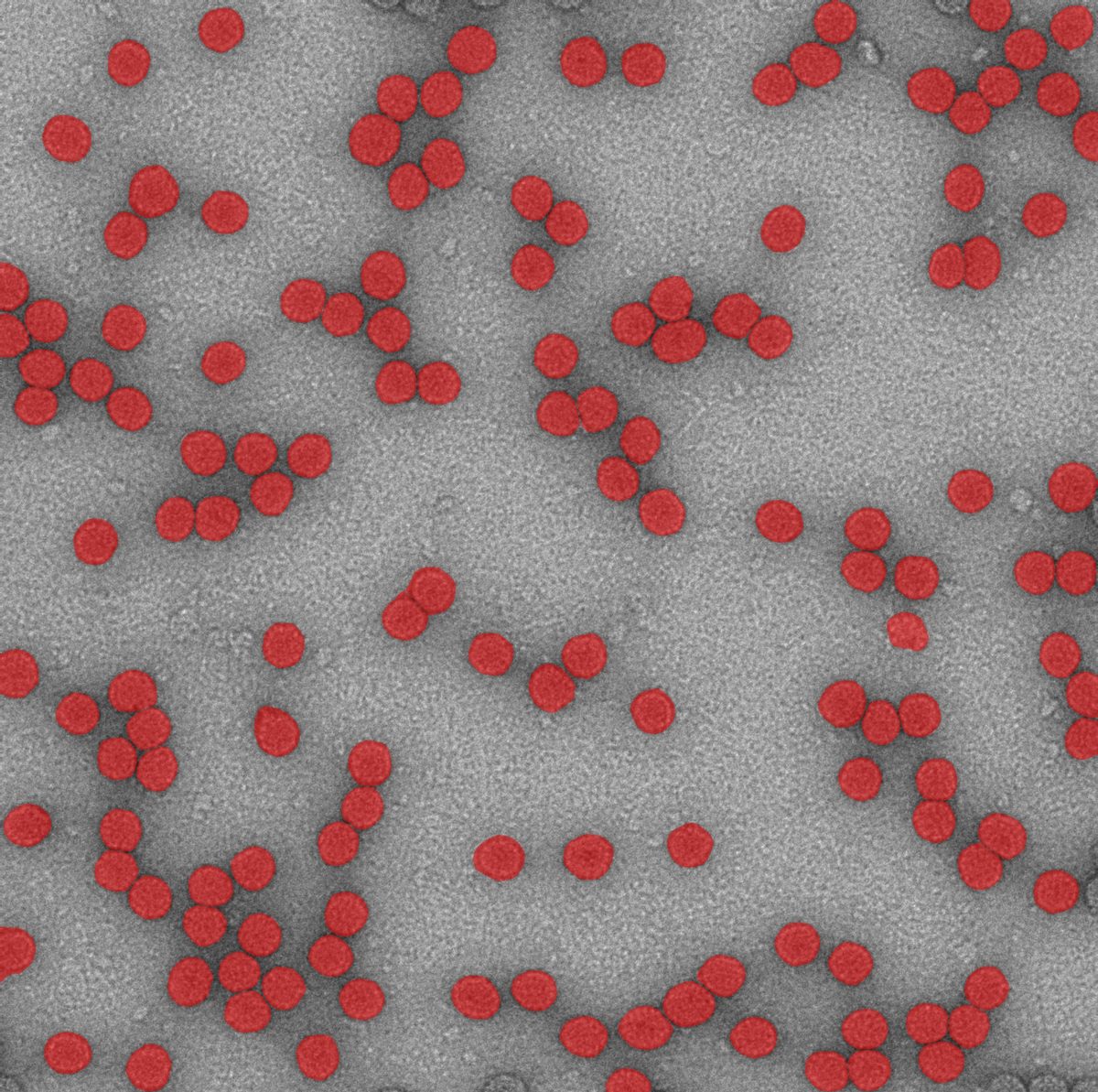
Load the image. TEM, no pre-processing.
Spotlight · targeted
Point it only where it matters.
A grid is fine for a start. For speed and precision, classical processing first finds the bright regions, and Spotlight is only asked about those. The result: one recipe that works on two completely different powders.
Same recipe, both powders
Gas-atomised spheres, sitting on and behind each other. Prompts land only on the bright particle surfaces, so Spotlight never wastes time on background.
- Size distribution per particle: mean, min, max, D-values
- Shape: eccentricity (0 = circle, 1 = line) and roughness
- Particles coloured by size, histograms and a report in one click
- The same recipe runs on a whole batch of images
Going deeper on powders? See particle size and shape analysis.
Snap · included with Spotlight
Tracing a feature: ten minutes one click.
Snap is Spotlight as a drawing tool. Hover over a feature, see the preview, click. The outline snaps to the true edge. That makes manual corrections quick, and it makes training data for Deep Learning precise and consistent.
Point
Hover, preview, click. One click per feature.
Box
Drag a box around larger or complex features, release to Snap.
Deep Learning · trained on your images
When the feature is only obvious to an expert, teach it.
Grain boundaries that should be counted, twin boundaries that shouldn’t, all at the same grey level. No threshold can tell them apart. A model trained on a few traced images can.
Swipe for the next step →
Deep Learning + Spotlight
One finds it roughly. The other draws the edge.
Three real applications where neither tool alone is the whole answer, and the combination is quick to build.
Swipe for the next step →
The practical bit
What IT and QA will ask
Your images stay home
All processing runs locally on your workstation. No images, measurements or user data are sent to any cloud.
A proper GPU helps
Spotlight and Snap need an NVIDIA GPU with at least 8 GB of memory; 12–16 GB is recommended. We check your workstation before you buy.
Part of your recipe
Both work as ordinary recipe steps, so filtering, layers, measurements and batch processing all still apply.
Traceable results
Fixed, versioned recipes give the same answer on every batch. Need audit trails too? See data compliance.
How we work
You send images. We find out which AI they need.
- Step 1
Send 3–5 images
Typical ones, plus one of the nasty ones you’d rather not show anyone.
Free - Step 2
We test both
Spotlight first, Deep Learning where it’s needed, or the combination. You see results on your own images.
Free - Step 3
We build the recipe
Prompts, models, clean-up and measurements, validated against your manual results. See how MIPAR recipes work.
- Step 4
Your team runs it
Training, support and renewals from us, in your time zone, under your existing agreement.
Questions
Deep Learning and Spotlight, answered
Do I need to train Spotlight on our images?
No. Spotlight uses a model that has seen millions of images and billions of traced objects. It outlines a wide variety of objects accurately, including ones it has never seen. You only set the prompts, feature size and sensitivity.
Will Spotlight replace Deep Learning?
No, it complements it. Some applications are best solved with Spotlight alone. Others work best when a Deep Learning model finds the rough area or class and passes “seeds” to Spotlight for the precise outline. Spotlight excels at discrete objects; for continuous features such as interwoven phases and fibre networks, Deep Learning is usually still the better choice.
Do I need Deep Learning to use Spotlight, or the other way round?
No. The two extensions are independent. You can use either one alone, or both together.
How many images does a Deep Learning model need?
It depends on how much your images vary. With consistent images, 5–10 is often enough to start. When the model only needs to find a rough area for Spotlight, as in the weld example, two annotated images and a few minutes of training can do it.
Does anything run in the cloud?
No. All image processing happens locally on your workstation. No images, measurements or user data ever leave it, so your data is as secure as your own network.
What does our workstation need?
Spotlight and Snap are resource intensive. They need an NVIDIA GPU with at least 8 GB of memory, and 12–16 GB is recommended, along with a current MIPAR version on Windows. We check your setup against the current requirements before you order.
Is Spotlight included in our maintenance?
No. Maintenance gives you updates to the products already on your licence. Spotlight is one of three extensions you can add to your MIPAR licence, alongside Deep Learning and the 3D module. We’ll quote it together with your next renewal if that’s easier.
Can we run a recipe with a Spotlight step without the extension?
No. Recipes that contain a Spotlight step need the Spotlight extension to run. Recipes with a trained Deep Learning model can run without the Deep Learning extension; you only need it to train new models.
Are there licence restrictions on the AI model?
No. Part of the Spotlight technology is Meta’s pre-trained Segment Anything Model, published under the permissive Apache 2.0 licence. Its use is not restricted for any organisation.
How do we validate an AI result?
The same way you validate any measurement: against reference results, typically your own manual measurements on a set of images. We help you set that up, and MIPAR provides a validation document for Deep Learning models.
Application images courtesy of MIPAR Software. MIPAR, Deep Learning and Spotlight are products of MIPAR Software.
Send us three images. We’ll tell you which AI they need.
And show you the result on your own samples, in a short online session. No training data needed to start.